Problem: After migrating a course catalog, the newly created page won't open. Instead, it displays the following message:
'Sorry, something went wrong
NoComponentId'
In this case, you need to activate/reactivate the Site Page feature for this course catalog.
To do this, please, follow the next steps:
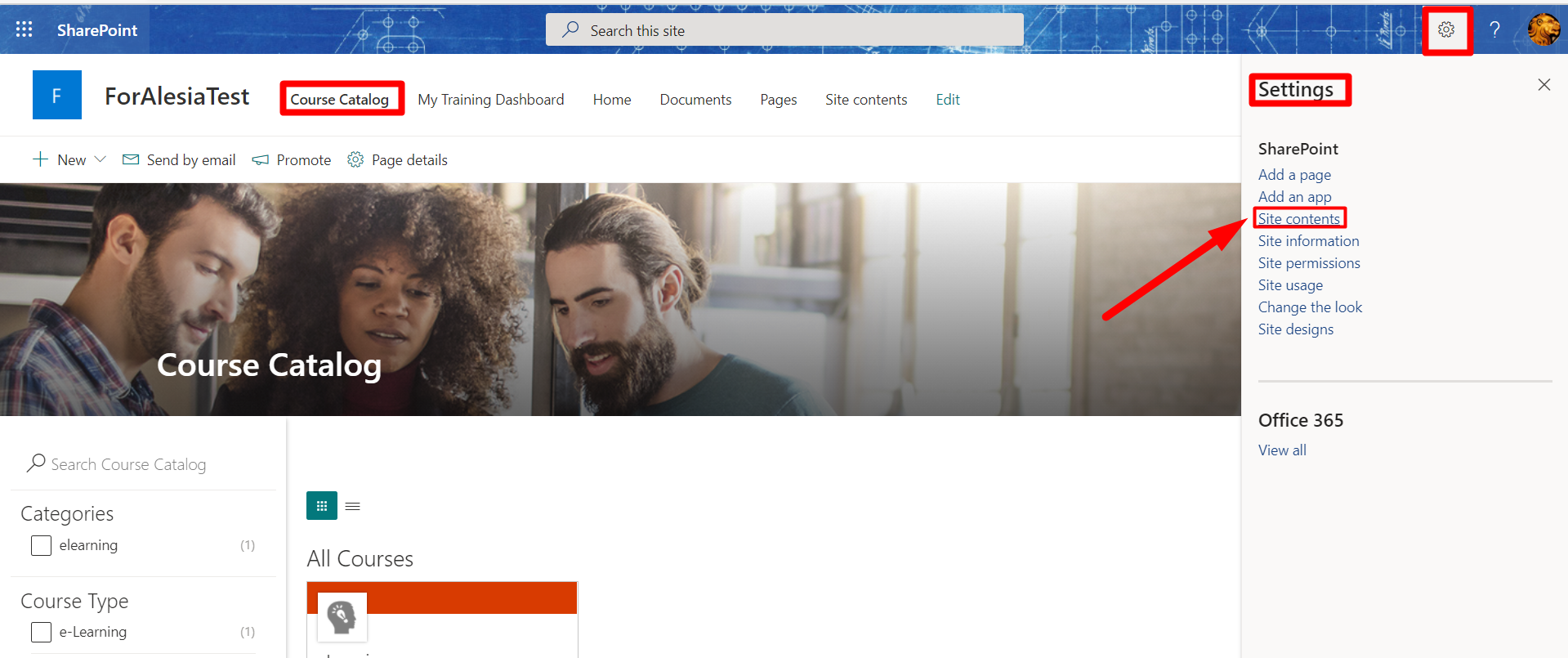
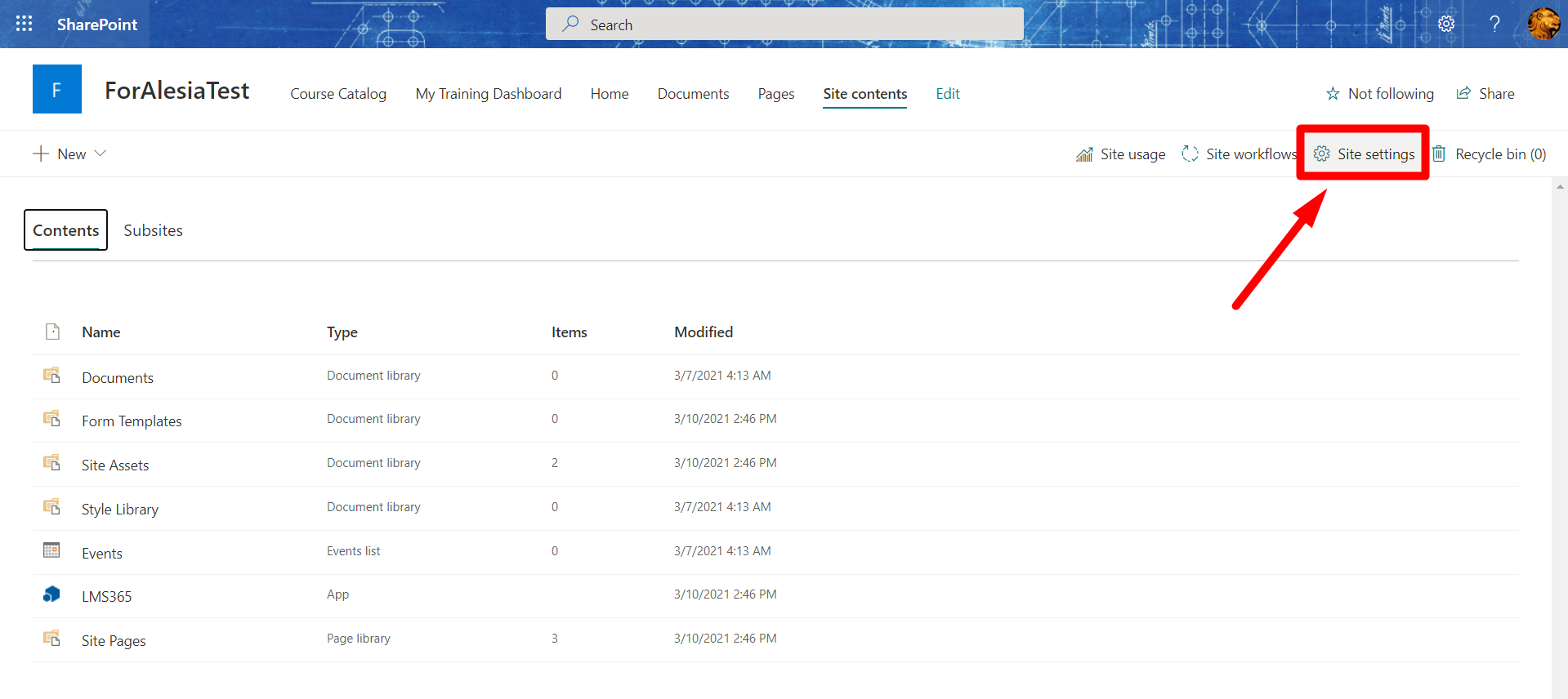
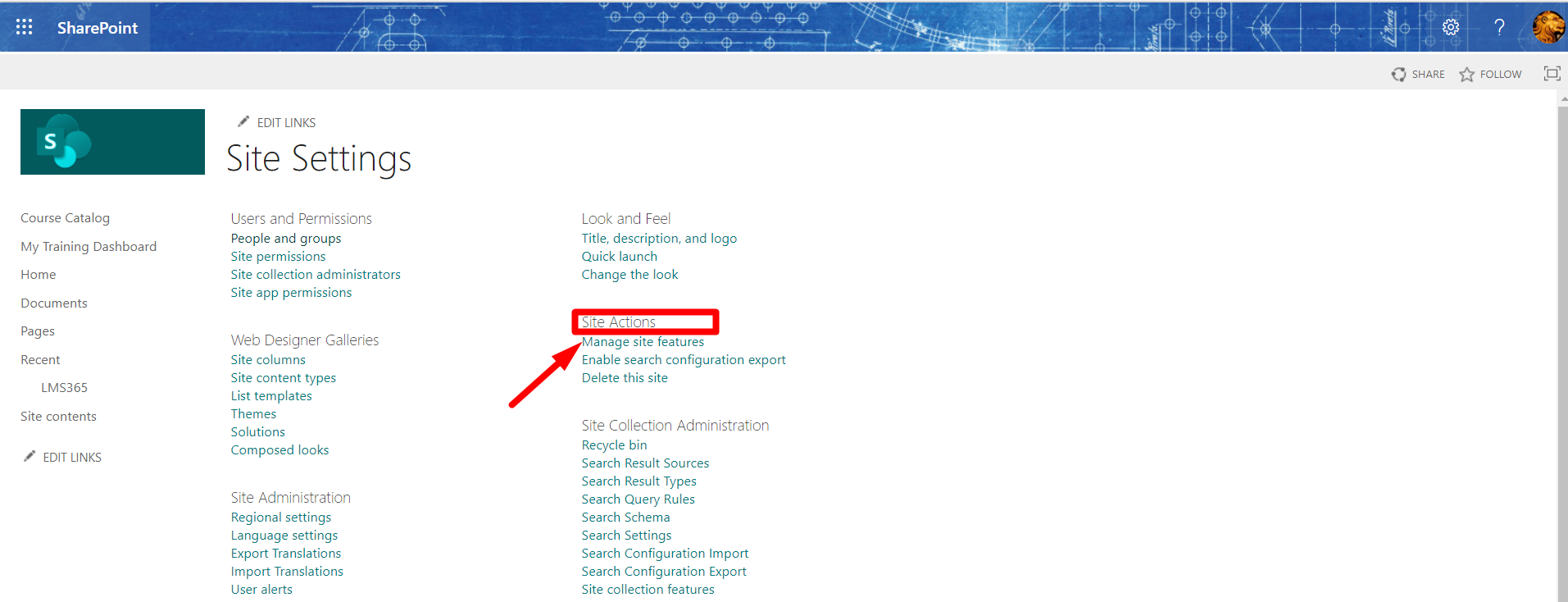
1. Go to your course catalog page > select the gear icon > Site contents > Site settings > under Site Actions, select Manage site features > activate the Site Pages feature.
2. Delete the old Course Catalog and Dashboard site pages, and create new ones.